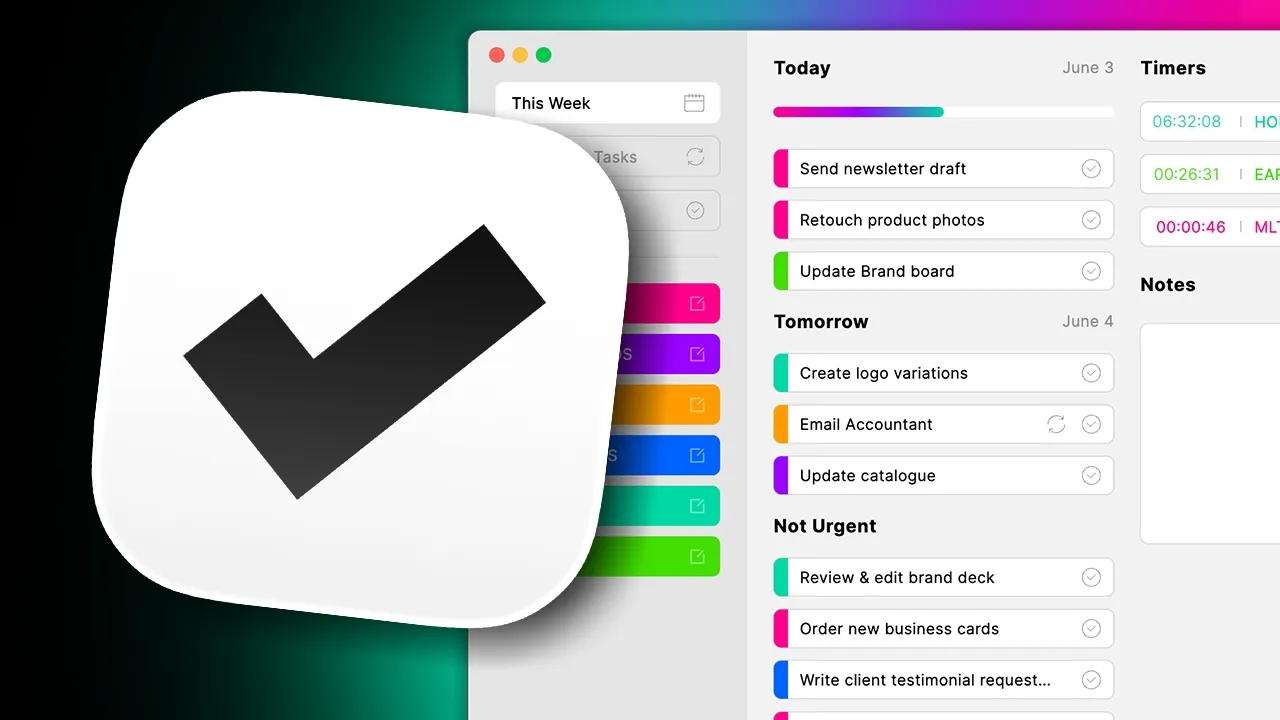
Get started with Trick

Shortcuts

  • New Task

    +

    Cmd

    T

  • New Category

    +

    Cmd

    +

    T

  • This Week Tab

    +

    Cmd

    W

  • Status Tab

    +

    Cmd

    S

  • Repeating Tasks

    +

    Cmd

    R

  • Completed Tab

    +

    Cmd

    C

FAQ

Is Trick available on iPhone or iPad?

Trick is currently available for Mac only. An iOS version is not available yet — but it’s on our radar.

Do I need to create an account?

Yes. Trick requires Sign in with Apple to personalize your workspace and enable sync and backup.

Is there a free version of Trick?

Yes, you can start using Trick for free and create up to 3 categories with limited customisation. You can unlock all the features with a Pro plan

Can I use Trick offline?

You will need a connection to use the app.

Will my data sync across devices?

Yes, data will be synch across devices.

How long is my data stored?

Trick keeps your data as long as you’re an active user. After 30 days of inactivity you will receive an email to notify you the deletion of your data and after 7 days your data will be permanently deleted.

Can I export or back up my tasks?

We’re working on export features. For now, Trick keeps your data safe via firebase cloud

How do I cancel my subscription?

Subscriptions are managed through your Apple ID. You can cancel anytime via System Settings > Apple ID > Subscriptions.

Can I request a refund?

All purchases are handled by Apple. Refunds can be requested through Apple’s support page.

How do I get help?

You can contact our support team on hello@gettrick.app

Is Trick available on iPhone or iPad?

Trick is currently available for Mac only. An iOS version is not available yet — but it’s on our radar.

Do I need to create an account?

Yes. Trick requires Sign in with Apple to personalize your workspace and enable sync and backup.

Is there a free version of Trick?

Yes, you can start using Trick for free and create up to 3 categories with limited customisation. You can unlock all the features with a Pro plan

Can I use Trick offline?

You will need a connection to use the app.

Will my data sync across devices?

Yes, data will be synch across devices.

How long is my data stored?

Trick keeps your data as long as you’re an active user. After 30 days of inactivity you will receive an email to notify you the deletion of your data and after 7 days your data will be permanently deleted.

Can I export or back up my tasks?

We’re working on export features. For now, Trick keeps your data safe via firebase cloud

How do I cancel my subscription?

Subscriptions are managed through your Apple ID. You can cancel anytime via System Settings > Apple ID > Subscriptions.

Can I request a refund?

All purchases are handled by Apple. Refunds can be requested through Apple’s support page.

How do I get help?

You can contact our support team on hello@gettrick.app

Is Trick available on iPhone or iPad?

Trick is currently available for Mac only. An iOS version is not available yet — but it’s on our radar.

Do I need to create an account?

Yes. Trick requires Sign in with Apple to personalize your workspace and enable sync and backup.

Is there a free version of Trick?

Yes, you can start using Trick for free and create up to 3 categories with limited customisation. You can unlock all the features with a Pro plan

Can I use Trick offline?

You will need a connection to use the app.

Will my data sync across devices?

Yes, data will be synch across devices.

How long is my data stored?

Trick keeps your data as long as you’re an active user. After 30 days of inactivity you will receive an email to notify you the deletion of your data and after 7 days your data will be permanently deleted.

Can I export or back up my tasks?

We’re working on export features. For now, Trick keeps your data safe via firebase cloud

How do I cancel my subscription?

Subscriptions are managed through your Apple ID. You can cancel anytime via System Settings > Apple ID > Subscriptions.

Can I request a refund?

All purchases are handled by Apple. Refunds can be requested through Apple’s support page.

How do I get help?

You can contact our support team on hello@gettrick.app

Is Trick available on iPhone or iPad?

Trick is currently available for Mac only. An iOS version is not available yet — but it’s on our radar.

Do I need to create an account?

Yes. Trick requires Sign in with Apple to personalize your workspace and enable sync and backup.

Is there a free version of Trick?

Yes, you can start using Trick for free and create up to 3 categories with limited customisation. You can unlock all the features with a Pro plan

Can I use Trick offline?

You will need a connection to use the app.

Will my data sync across devices?

Yes, data will be synch across devices.

How long is my data stored?

Trick keeps your data as long as you’re an active user. After 30 days of inactivity you will receive an email to notify you the deletion of your data and after 7 days your data will be permanently deleted.

Can I export or back up my tasks?

We’re working on export features. For now, Trick keeps your data safe via firebase cloud

How do I cancel my subscription?

Subscriptions are managed through your Apple ID. You can cancel anytime via System Settings > Apple ID > Subscriptions.

Can I request a refund?

All purchases are handled by Apple. Refunds can be requested through Apple’s support page.

How do I get help?

You can contact our support team on hello@gettrick.app